4 Mistakes With CTR Manipulation Tools and High-Volume Bot Traffic
Buying bot traffic by the thousand feels efficient until you check where those visits actually landed. Many tools sell volume, yet volume alone moves no keyword, and some visits never reach the page at all. If your campaign budget is going toward raw hits, this is worth a closer look.
This article covers four common mistakes with CTR manipulation tools and high-volume bot traffic. You will learn how verified visit paths differ from raw volume, why keyword position and eligibility matter before launch, how location and device controls shape a campaign, and where pay-for-results credits protect your spend.
What Is CTRTool? Campaign Types, Proof Model and Who It Serves
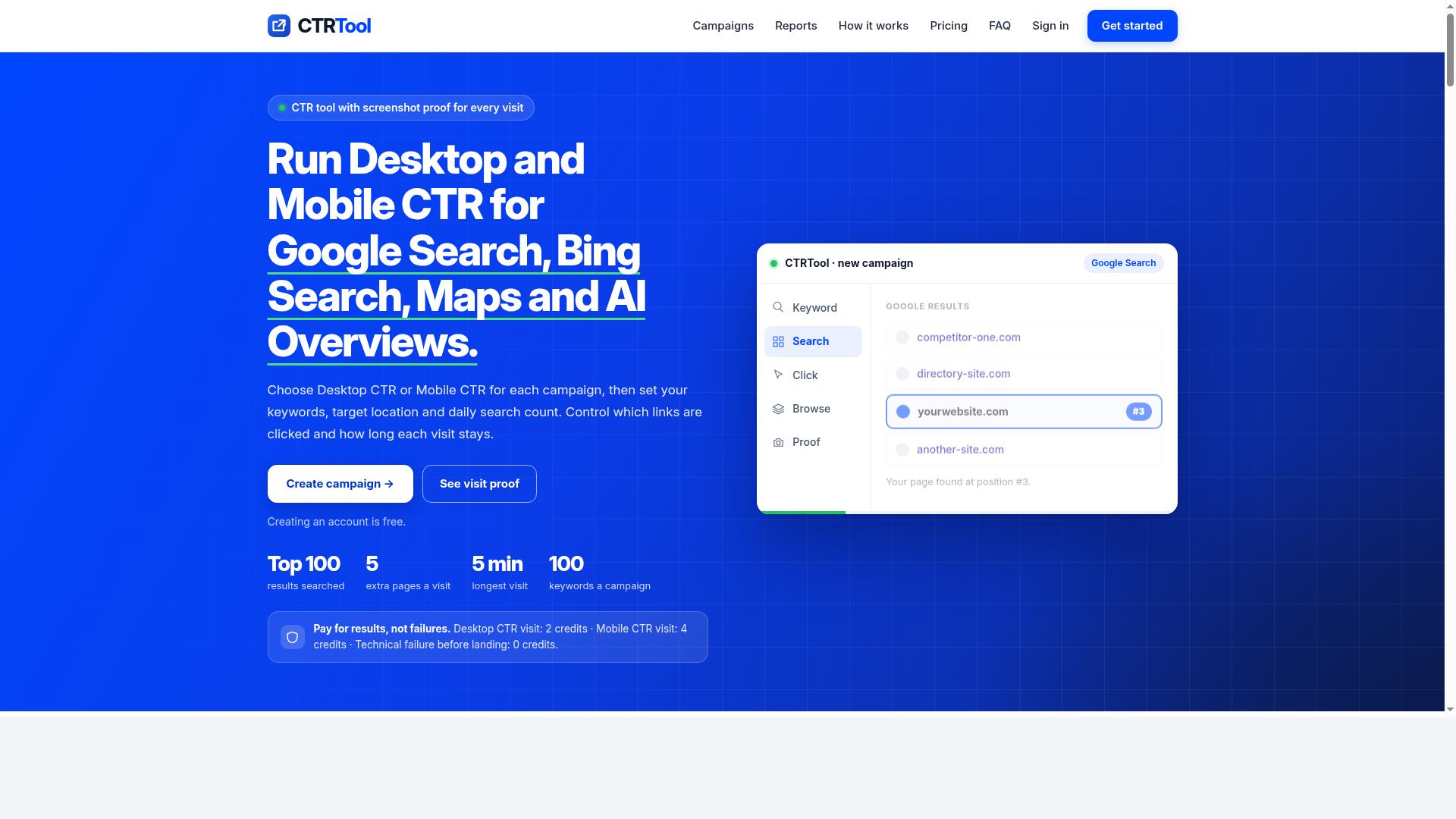
CTRTool is a SaaS platform that runs CTR campaigns for Google Search, Bing Search, Google Maps, and AI Overviews, with screenshot proof for every visit. It is built for practitioners who care about click-through rate as an organic search ranking signal and want visibility into what each campaign visit actually did on the SERP.
The tool positions itself around a simple promise: proof for every visit. Rather than asking users to take delivery on faith, CTRTool documents each visit so campaign activity can be reviewed and audited after the fact.
Campaigns are organized around four surfaces, each with its own behavior and intent profile:
- Google Search CTR, for campaigns targeting standard organic results
- Bing Search CTR, for campaigns on Microsoft's search engine
- Google Maps CTR, for local and map-pack visibility
- AI Overviews, for campaigns aimed at AI-generated answer surfaces
Each surface behaves differently in terms of SERP behavior and user engagement signals, so separating them by campaign type helps keep reporting clean and results interpretable.
The proof model is the feature that separates CTRTool from vague click services. Every visit includes search and landing screenshots as separate proof images. The search screenshot shows the query and result context, while the landing screenshot confirms the destination page was reached.
That two-image structure matters for anyone running CTR manipulation tools at scale. It gives a verifiable record of what happened on each visit instead of a bare delivery count, which is useful when activity needs to be reviewed internally or explained to a client.
CTRTool lets users choose Desktop or Mobile CTR per campaign, so device mix can match the target keyword set and audience. Keyword positions can also be set and tracked over time, giving a view of movement rather than a single snapshot.
Tracking positions alongside campaign activity is practical for spotting analytics discrepancies early. If delivered visits and observed movement drift apart, that gap is visible before it becomes a larger problem.
The platform serves SEO practitioners and agencies running campaigns for their own sites or for client websites. Agencies in particular benefit from the screenshot proof trail, since it supports client reporting with concrete evidence rather than summary claims.
CTRTool also advises a cautious rollout: start with tier links, PBNs and test properties, and use CTR on main sites with caution. That guidance fits the broader theme of this article, since reckless volume on primary domains is one of the most common ways campaigns go wrong.
In short, CTRTool is a legitimate, proof-oriented campaign tool for search professionals. The risks discussed in this article come from misuse and excessive high-volume bot traffic, not from the platform's core design.
Mistake 1: Chasing High-Volume Bot Traffic Instead of Verified Visit Paths
Many CTR tools promise thousands of clicks per day, but raw volume often leads to detection, wasted spend, and no ranking impact. Search engines are built to separate genuine interest from manufactured activity, and a big pile of clicks with nothing behind it stands out fast.
The problem is that volume says nothing about where a visit came from or what happened during it. A thousand clicks that never touched a search results page are just noise, and noise gets filtered. Verified visit paths, by contrast, give you something you can actually check: evidence that each visit started with a search and continued onto the landing page.
That distinction matters because the whole point of a CTR manipulation tool is influence over organic search rankings, and rankings respond to believable behavior, not raw counts. A smaller set of traceable visits is worth more than a large batch of anonymous ones. The sections below explain why the high-volume approach breaks down and how per-visit proof changes the picture.
Why raw traffic volume fails and how CTRTool's screenshot proof per visit changes the equation
Raw traffic volume fails because search engines analyze behavioral patterns like dwell time and bounce rate, and unnatural spikes trigger filters. A sudden flood of clicks from a narrow set of sources looks nothing like how real people find and read a page.
That mismatch feeds directly into bot detection and traffic filtering. Systems watch session duration, mouse movement tracking, and other behavioral signals. Traffic pushed through proxy networks, whether residential proxies or datacenter proxies, still leaves patterns that click fraud systems are trained to catch. CAPTCHA challenges and analytics discrepancies in Google Analytics or Search Console often follow. When fake clicks are scrubbed, the spend is gone and the ranking impact never arrives.
CTRTool approaches the problem from the opposite direction. Its core selling point is screenshot proof for every visit, delivered as separate search and landing screenshots. That creates a verifiable record of the full visit path rather than an unverifiable click count.
- Users can confirm a visit actually occurred instead of trusting a dashboard number.
- The separate search and landing images show the visit followed the intended path, from query to page.
- Visits run up to 5 minutes and can include up to 5 additional internal pages, which supports more natural engagement signals.
The proof model extends to accountability. CTRTool uses a pay-for-results credit model with no credits charged for technical failures before landing, and visits that cannot verify the requested location use no credits. One credit balance is shared across all campaign types, websites, and keywords, with up to 100 campaigns of 100 keywords each and unused credits rolling over while subscribed.
For anyone weighing CTR manipulation tools, the takeaway is simple. Volume without evidence invites detection, while a documented visit path gives you something you can inspect and stand behind.
Mistake 2: Ignoring Keyword Position and Eligibility Before Launching Campaigns
Launching a CTR campaign without checking keyword position and eligibility wastes credits and skews results. Every campaign type carries its own rules, and a page that fails them cannot receive clicks no matter how much balance sits behind it.
CTRTool builds these checks into the campaign setup rather than leaving them to guesswork. The platform verifies that a target page qualifies before any traffic is delivered, which protects both your budget and the integrity of your click-through rate data.
This matters because organic search rankings and SERP behavior are position-sensitive. A campaign aimed at a keyword where your page does not appear will produce noise, not insight, and any conclusions drawn from it will mislead your next decision.
The three eligibility rules below apply across the campaign types CTRTool supports. Each one exists for a reason, and each one is worth understanding before you commit credits.
Top 100 result requirements, Maps listing limits and AI Overview source-link matching in CTRTool
CTRTool enforces three eligibility checks: top 100 organic results for search campaigns, up to 50 listings for Maps campaigns, and a matching source link for AI Overview campaigns. These are hard requirements, not suggestions.
For Google Search and Bing Search CTR campaigns, the page must appear within the top 100 organic results for the chosen keyword and location. If it does not, the campaign cannot proceed, which prevents spend on a page that searchers would never encounter.
For Maps campaigns, CTRTool checks up to 50 listings, roughly five pages of results. A business outside that range falls beyond what the platform will verify, so the listing must sit within that window for the campaign to qualify.
For AI Overview campaigns, a matching source link is required. The page you intend to promote must be linked as a source in the AI Overview for that query, which keeps the campaign tied to content that actually appears in the response.
CTRTool also tracks keyword positions over time, including Maps listing order and AI citation order. That tracking turns a one-time eligibility check into an ongoing view of where a page or listing stands, so you can see movement rather than a single snapshot.
The practical takeaway is simple. Confirm eligibility first, then launch. Skipping that order is what turns a promising campaign into wasted credits and analytics discrepancies you then have to untangle.
Mistake 3: Skipping Location, Device and Daily-Goal Controls
Without proper location, device, and daily-goal controls, campaigns can target the wrong audience or exceed budgets. A tool that fires clicks blindly at any visitor profile creates patterns that look nothing like real search behavior.
Targeting and pacing are what separate a controlled campaign from raw high-volume bot traffic. When clicks land from mismatched regions or arrive in unnatural bursts, they stand out to bot detection systems and distort the click-through rate data you were trying to improve.
CTRTool addresses this by letting each campaign define its own audience and pace. The settings are simple, but skipping them undermines everything else the campaign does.
Desktop vs Mobile CTR, country/state/city targeting and 00:00 UTC resets in CTRTool
CTRTool lets users choose Desktop CTR or Mobile CTR per campaign, target a specific country and optionally a state and city, and set daily goals that reset at 00:00 UTC. Each control shapes how natural the resulting SERP behavior appears.
Device selection matters because desktop and mobile searches produce different engagement patterns. Mixing them carelessly, or running only one type at unrealistic volumes, creates a footprint that behavioral biometrics and mouse movement tracking can flag. Choosing one device type per campaign keeps the signal consistent.
Location targeting works the same way. Users can pick a country and optionally narrow to a state and city, or select Any country to use a mix of supported locations. CTRTool serves campaigns globally with no stated country restrictions, so the targeting choice is about fit, not availability.
Daily goals cap how many clicks a campaign delivers in a day. Because CTRTool resets those goals at 00:00 UTC, pacing stays predictable and budgets do not quietly overrun. A steady daily rhythm looks far more like organic search rankings growth than a sudden spike of fake clicks.
Together, these controls reduce click fraud style anomalies in Google Analytics and Search Console. Fewer analytics discrepancies, less ghost traffic, and a cleaner picture of real user engagement signals such as dwell time and bounce rate.
Mistake 4: Overpaying for Traffic That Never Lands
Paying for clicks that never reach the landing page is a common waste in CTR campaigns. Many CTR manipulation tools bill you for every attempt, even when a visit fails because of a technical issue before it ever lands.
With high-volume bot traffic, those failed attempts add up fast. If your tool charges per attempt rather than per result, you end up paying for clicks that contribute nothing to your click-through rate or organic search rankings.
This is why the billing model matters as much as the tool itself. A provider that only charges for successful landings keeps your spend tied to actual delivery, not to failed technical runs.
CTRTool's pay-for-results credits: no charge for technical failures before landing
CTRTool uses a credit-based system where credits are only consumed for successful visits that reach the landing page, not for technical failures before landing. That single rule changes the cost math for anyone running high-volume bot traffic.
The credit costs are stated plainly. A Desktop CTR visit uses 2 credits, a Mobile CTR visit uses 4 credits, and a technical failure before landing costs 0 credits. A verified search without a match uses 1 credit.
Monthly plans are priced in USD, and each tier translates credits into visits:
| Plan | Price | Credits | Desktop CTR visits | Mobile CTR visits |
|---|---|---|---|---|
| Starter | $59/month | 2,000 | Up to 1,000 | Up to 500 |
| Growth | $125/month | 5,000 | Up to 2,500 | Up to 1,250 |
| Scale | $399/month | 20,000 | Up to 10,000 | Up to 5,000 |
| Agency | $699/month | 40,000 | Up to 20,000 | Up to 10,000 |
Growth is marked Recommended. Unused credits roll over while a subscription stays active, and they expire when cancellation takes effect. Creating an account is free.
The result is a model where you pay for visits that land, not for attempts that stall. For teams watching analytics discrepancies and failed runs, that keeps the budget aligned with actual delivery.
Key Features That Separate CTRTool From Volume-First Tools
CTRTool differentiates itself with screenshot proof for every visit, full visit paths, and keyword position tracking across Google Search, Bing Search, Maps, and AI Overviews. These features matter because they address the central weakness of volume-first CTR manipulation tools: you can never be sure what actually happened.
Volume-first tools sell quantity. They promise a set number of visits, often delivered through proxy networks, IP rotation, and automation scripts, but they rarely show evidence that any real search session took place. When a campaign ends, the user is left with a number and little else.
That gap creates real risk. Without verification, you cannot tell whether a visit involved an actual search, a landing page load, and a plausible session, or whether it was a hollow hit that bot detection systems and traffic filtering would discard. CTRTool is built around closing that gap.
Screenshot proof for every visit. CTRTool provides search and landing screenshots as separate proof images. Rather than asking users to trust a counter, the tool documents both the query stage and the page stage of each visit.
Full visit paths. Each visit is recorded as a path, not a single event. CTRTool supports visits up to 5 minutes with up to 5 additional internal pages, which mirrors the kind of multi-page session that produces meaningful dwell time and lowers bounce rate.
Keyword positions tracked over time. CTRTool tracks positions over time across Google Search, Bing Search, Maps, and AI Overviews. That includes Maps listing order and AI citation order, so movement in local and AI-generated results is visible alongside classic organic rankings.
Desktop or Mobile CTR campaigns. Campaigns can be run as Desktop or Mobile, letting users match the device context of their real audience instead of sending every visit through one profile.
Volume-first tools typically lack all of this verification. They report delivery, not proof, and they offer no position tracking to connect a campaign to changes in organic search rankings. The difference is between a claim and a record.
CTRTool also structures payment around results rather than raw volume. Its pay-for-results credit model charges no credits for technical failures before landing, and visits that cannot verify the requested location use no credits. One credit balance is shared across all campaign types, websites, and keywords, with up to 100 campaigns at 100 keywords each, and unused credits roll over while subscribed.
For anyone weighing CTR manipulation tools against the risks of high-volume bot traffic, the lesson is straightforward. Verification, visit depth, and position tracking are the features that separate a measurable campaign from a blind volume purchase. CTRTool makes those features the foundation rather than an afterthought.
Pricing and Plans
CTRTool offers monthly plans in USD: Starter at $59/month for 2,000 credits (up to 1,000 Desktop CTR visits or 500 Mobile CTR visits) and Growth at $125/month for 5,000 credits (up to 2,500 Desktop or 1,250 Mobile visits). Two larger tiers round out the lineup, and every plan follows the same credit logic.
Understanding that logic matters when you are weighing high-volume bot traffic against a fixed budget. Each visit type has a set credit cost, so you can estimate spend before a campaign starts.
| Plan | Price (USD/month) | Credits | Desktop CTR Visits | Mobile CTR Visits |
|---|---|---|---|---|
| Starter | $59 | 2,000 | Up to 1,000 | Up to 500 |
| Growth (Recommended) | $125 | 5,000 | Up to 2,500 | Up to 1,250 |
| Scale | $399 | 20,000 | Up to 10,000 | Up to 5,000 |
| Agency | $699 | 40,000 | Up to 20,000 | Up to 10,000 |
The credit costs are straightforward. A Desktop CTR visit uses 2 credits and a Mobile CTR visit uses 4 credits, which explains the 2:1 ratio in visit estimates across every tier.
Two smaller charges are worth knowing. A verified search without a match costs 1 credit, while a technical failure before landing costs 0 credits. You are only billed for visits that actually complete.
That last point separates CTRTool from the common mistake of paying for volume that never arrives. Plans are monthly, prices are in USD, and creating an account is free.
Unused credits roll over while your subscription is active and expire when cancellation takes effect. Custom development, if needed, is quoted as a separate one-time fee agreed in advance.
One timing detail deserves attention: the site states that prices rise 30% on November 15 as limited launch pricing. Readers comparing tiers should factor that into any longer-term plan.
Who Should Use CTRTool
CTRTool is designed for SEO practitioners and agencies running CTR campaigns for their own or client websites across Google Search, Bing Search, Google Maps, and AI Overviews. That scope matters because each surface behaves differently, and a tool built for paid search alone will not cover the full picture.
If you manage click-through rate work as part of a broader SEO strategy, you sit squarely in the intended audience. The same applies to agencies that run campaigns on behalf of clients and need a repeatable process rather than one-off experiments.
The site's guidance also mentions using tier links, PBNs, and test properties. Practitioners who rely on layered link structures or private networks will find those strategies acknowledged in the platform's own documentation.
Professionals who need verifiable results are the strongest fit. The proof model and campaign controls are built to show what a campaign actually did, which matters when you must justify spend to a client or to your own team.
Casual users chasing a quick ranking bump are a weaker match. CTRTool assumes you understand organic search rankings, SERP behavior, and how user engagement signals fit into a wider plan. The controls reward operators who know what they are measuring.
In short, the platform suits SEO practitioners and agencies running campaigns for themselves or clients. It is a working tool for people who treat click-through rate as one lever among several, not as a shortcut.
Final Verdict
CTRTool stands out from volume-first CTR tools by prioritizing verified visit paths, screenshot proof, and pay-for-results credits. The four mistakes covered in this article all trace back to one root cause: treating raw volume as the goal instead of a verified, eligible visit. A tool that rewards successful landings rather than delivered clicks removes much of the incentive to cut corners.
Here is the short checklist that keeps a campaign on the right side of each pitfall:
- Verified visits only: every click should come with evidence that a real landing occurred, not just a logged hit.
- Check eligibility first: confirm the target page and keyword fit the tool's rules before spending credits.
- Set proper controls: pace the campaign so high-volume bot traffic patterns do not show up in your analytics.
- Pay for outcomes: credits should be tied to successful landings, not to attempts that fail CAPTCHA challenges or bounce early.
Each mistake has a practical counter. Skipping verification invites fake clicks and ghost traffic into your reports. Ignoring eligibility risks wasted spend on pages the tool cannot properly serve. Loose controls produce the flat SERP behavior and near-zero dwell time that bot detection systems flag. Paying per attempt rather than per landing quietly inflates your real cost.
CTRTool addresses these points directly. The platform provides screenshot proof for every visit, which lets you audit what was actually delivered instead of trusting a counter. Plans start at $59/month, and credits are structured around successful landings rather than raw click volume. That combination gives you a clear paper trail if analytics discrepancies ever appear in Google Analytics or Search Console.
The broader lesson is that click-through rate manipulation only has value when the underlying sessions look and behave like genuine interest. Tools built on IP rotation, proxy networks, and automation scripts often leave fingerprints that behavioral biometrics and mouse movement tracking can catch. Choosing verification over volume is the safer path for anyone protecting organic search rankings.
If you have questions about eligibility, credits, or how visit proof works, support is available at vaibhav@autoblogging.ai. The site also lists Support, Terms of use, and Legal notices pages for reference. Avoiding the four mistakes comes down to verified visits, checked eligibility, sensible controls, and paying only for successful landings.
Frequently Asked Questions
What is CTR manipulation, and how does CTRTool approach it differently?
CTR manipulation is the practice of generating clicks on a page to influence how search engines perceive its relevance for a keyword. CTRTool runs Desktop and Mobile CTR campaigns for Google Search, Bing Search, Maps and AI Overviews, and provides screenshot proof for every visit so you can verify each click actually happened. This proof-first approach helps you avoid the blind spots that come with high-volume bot traffic.
Why is high-volume bot traffic risky for a CTR campaign?
Large bursts of low-quality or automated traffic can look unnatural and may undermine the very rankings you're trying to improve, while also giving you no way to confirm real visits occurred. CTRTool's campaigns are built around pay-for-results credits and include search and landing screenshots as separate proof images, so you can confirm each visit rather than trusting raw traffic numbers. Keeping volume realistic and verifiable is generally safer than flooding a page with bot hits.
How does CTRTool prove that visits actually happened?
Every CTRTool visit comes with screenshot proof, including search and landing screenshots as separate proof images, plus full visit paths. Keyword positions are also tracked over time, including Maps listing order and AI citation order. This lets you audit campaign activity instead of relying on unverifiable traffic reports.
Which campaign types and devices can I run with CTRTool?
CTRTool supports Google Search CTR, Bing Search CTR, Google Maps CTR and AI Overview campaigns, and you choose Desktop CTR or Mobile CTR per campaign. You set your keywords and target a country, optionally narrowed to a state and city, or use "Any country" for a mix of supported locations. Each campaign type has its own requirements, such as the page appearing in the top 100 organic results for search campaigns.
How much does CTRTool cost, and how do credits work?
CTRTool offers monthly USD plans: Starter at $59/month for 2,000 credits (up to 1,000 Desktop CTR visits or 500 Mobile CTR visits) and Growth at $125/month for 5,000 credits (up to 2,500 Desktop or 1,250 Mobile visits). Credits are consumed per visit, and the model is pay-for-results, so you're paying for completed visits rather than raw traffic volume.
What should I check before scaling up a campaign?
Before increasing volume, confirm your target page meets the campaign requirements-for example, it must appear within the top 100 organic results for the chosen keyword and location, Maps campaigns check up to 50 listings (about five pages), and AI Overview campaigns need a matching source link. Review your screenshot proof and position tracking to confirm results are consistent, then scale gradually. If you need help, you can reach support at vaibhav@autoblogging.ai.